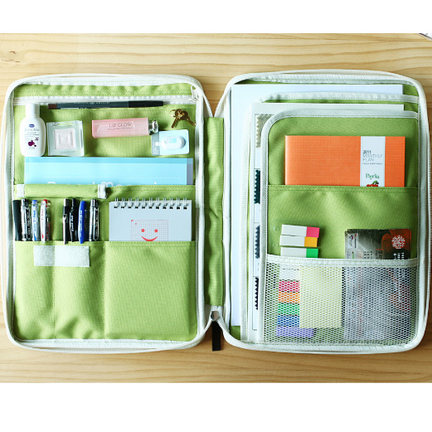
Hello!!! So unfortunately the last month has been insane and I have not been able to post as much as I would like to. However, I am always saving ideas and gadgets that I want to blog about. So as most of you know I am both obsessed with tech gadgets as well as housewares, specifically anything that helps organize things :) So this post is going to be some of my favorite new tech gadgets that I have found online (some may have been purchased :)) and some of my favorite houseware/organizational gadgets!
Let's start with the tech gadgets because quite frankly I am obsessed with the latest and greatest tech stuff (Yes I am definitely my fathers daughter haha)
1. Pivot Power Mini
This is a great little surge protector that has both regular outlets and USB ports. Now this isnt totally new, because I do have one that is similar made my Belkin, however, I like that the electric outlets are spaced out on the device. I have found with other ones where the outlets are right next to each other that sometimes two larger plugs dont fit next to each other!
2. PowerCurl Cord Manager
So I am always annoyed with how my cords are always getting either tangled with eachother, collecting tons of dust behind my desk, or getting caught up in my feet when I am sitting at my desk. This is a GREAT way of keeping the cord managed, especially when you have multiple cords under your desk (mine is RIDICULOUS!)
3. Cordies Cable Organizer
I LOVE the idea of having a place to hold my plugs in place. I am always taking my computer away from my desk and I always end up crawling underneath my desk like an animal trying to grab my cords and thread them back up behind my desk which is such a pain! I have seen these before but never in such a cute pink color (I am such a sucker for pink!)
Okkk so now to housewares! Here are a few of my fave things I have found online:
1. Broom Groomer
THIS IS JUST BRILLIANT!! I cant tell you how many times I have sat over my trash can and pulled lint and hair off my broom (having all hardwood requires a lot of sweeping, NOT MY FAVORITE!). If this works well I think its an amazing gadget!!
2. Tether Stemware Saver
So basically every time I put my wine glasses in the dishwasher I always pray to the Wine gods that my glasses wont break during the crazy washing cycle. At times my dishwasher sounds like it is going to take off, so I dont have much faith in its ability to not break my glasses. I swear sometimes I open the dishwasher and my bowls are right side up (when put in the opposite way) and I really wonder what happens during that crazy cycle. Needless to say, this is an AMAZING way to keep those pretty and NECESSARY glasses safe :) Yes of course I could hand wash these puppies but reality is sometimes I just want to be able to stick them in the dishwasher and know that they will come out safe! So this is a great answer to that.
3. Citrus Fruit Juice Sprayer:
So I couldnt resist putting this one because it just looks so cool to me!! I question how well it works, but if it does then its amazing! There are SO many things that I use lemon juice on and to be able to just spritz it on to things would be amazing!
I hope everyone is having a GREAT start to their week!!
Showing posts with label Favorite Things. Show all posts
Monday, February 4, 2013
Monday, January 14, 2013
A couple quick things...
Ok so I just had to share a couple things that I found to be fabulous last night and this morning...
I have had this gadget for awhile but I just love it and had to share it! I am always finding recipes online (via Pinterest normally!) and love that I can see my recipe so easily while I am cooking with this ipad kitchen cabinet mount.
I have been wanting to try these pancakes from Biggest Loser for awhile now but normally I am too rushed/sleepy/lazy in the morning to do any kind of recipe. Getting coffee made and cereal poured is a pretty big feat for me in the morning. However, this morning I decided to be productive and try these little gems and let me tell you, they were DELICIOUS. I was actually really surprised how tasty they were!! And reality is they were really easy and quick.
Here is the recipe:
(this is for one serving)
2 Egg Whites
1/3 cup oats
1/3 cup cottage cheese
1/2 tsp sugar
1/2 tsp vanilla
1/4 tsp cinnamon
Put all ingredients in blender and blend until smooth. Pour 1/4 cup in to pan (spray with Pam first) on low-med heat. Wait until bubbling and then flip. This makes 3 pancakes.
I put a tiny bit of margarine and a tiny bit of real maple syrup on these and it felt like such an indulgent breakfast.
Nutrition Facts: 3 pancakes
Calories: 180
Fat: 2.7 grams
Carbs: 20 grams
Fiber: 2.8 grams
Lastly, I tried to Roasted Beet Salad that I put on the blog week before last. It was SOOOO good and looked so pretty on the plate. Roasting the fresh beets took awhile but it was worth it! I would definitely used canned beets if I was crunched for time, but if you have the time to roast them it is really yummy and fresh tasting that way. Here is the recipe again since i know the links were messed up on the last post: Roasted Beet Salad
Alright back to work for me!!
I have had this gadget for awhile but I just love it and had to share it! I am always finding recipes online (via Pinterest normally!) and love that I can see my recipe so easily while I am cooking with this ipad kitchen cabinet mount.
I have been wanting to try these pancakes from Biggest Loser for awhile now but normally I am too rushed/sleepy/lazy in the morning to do any kind of recipe. Getting coffee made and cereal poured is a pretty big feat for me in the morning. However, this morning I decided to be productive and try these little gems and let me tell you, they were DELICIOUS. I was actually really surprised how tasty they were!! And reality is they were really easy and quick.
Here is the recipe:
(this is for one serving)
2 Egg Whites
1/3 cup oats
1/3 cup cottage cheese
1/2 tsp sugar
1/2 tsp vanilla
1/4 tsp cinnamon
Put all ingredients in blender and blend until smooth. Pour 1/4 cup in to pan (spray with Pam first) on low-med heat. Wait until bubbling and then flip. This makes 3 pancakes.
I put a tiny bit of margarine and a tiny bit of real maple syrup on these and it felt like such an indulgent breakfast.
Nutrition Facts: 3 pancakes
Calories: 180
Fat: 2.7 grams
Carbs: 20 grams
Fiber: 2.8 grams
Lastly, I tried to Roasted Beet Salad that I put on the blog week before last. It was SOOOO good and looked so pretty on the plate. Roasting the fresh beets took awhile but it was worth it! I would definitely used canned beets if I was crunched for time, but if you have the time to roast them it is really yummy and fresh tasting that way. Here is the recipe again since i know the links were messed up on the last post: Roasted Beet Salad
Alright back to work for me!!
Sunday, January 13, 2013
All about Pictures!
So any of you who know me know that I am pretty much a paparazzi. Because of this, I am almost always looking for the latest and greatest photo editing software as well as photo apps. So I thought I would share my favorite photo apps as well as my favorite photo software.
When it comes to photo apps for the iphone there are so many to choose from. I have wasted to many "$1.99" purchases trying out the latest and greatest photography apps.
Here are my top 4 iPhone Apps that I use and love.
1. Photoshop Express for iOS: This is my go to app for almost every photo I take. It is easy to use and works really well to make small fixes to pictures. I also love the "pack" you can buy with the "reduce noise" function. It just smoothes the picture and makes everyone look much better, especially in lower light pictures that look a little grainy.
2. Instagram: This is one most people know obviously but I just thought I would mention it because I love that I can both put cool filters on my pictures but also share them with my Instagram friends. With all the new privacy policy issues that Instagram is facing, I am going to start looking in to some of the other apps that do cool filters and allow you to share the pics on your social networking sites. However, if I do discontinue using Instagram I will miss the social sharing aspect of it.
3. Diptic: This is a new app in my arsenal. I used to use pic stitch to create collage pictures but I had heard good things about this app so I gave it a try. I really like that i can choose from a ton of different layouts and I can also add text to the collage which is fun.
4. Over: This is another one that I started using pretty recently but really like. It is an app that allows you to add typography to your picture. They have a ton of different fonts and allow you to do a lot of personalization with the typing. It also allows you to share the pictures very easy on all of you social networking sites.
Soo I REALLLLLY loved the picture editing software Picnik, and I was soooo sad and dissapointed when they closed down. They were started by google and closed their doors but incorporated a lot of their features in to Google+, but it just is not as user friendly anymore and I dont really like it. Of course Photoshop is my all time favorite photo editing software, but sometimes I just want something that is a little easier and quicker to do minor fixes and/or creating fun collages or subway art easily. So I went on a search for another software that even compared to Picnik and here are a few that I have found.
1. PicMonkey: This is the closest software I have found to Picnik. It has a trendy looking and easy to use interface and does a lot of the same things that Picnik does. However, they were offering their premium services free for awhile but now they are requiring membership to use any of the advanced features of the software (much like what Picnik did). However, the premium membership was a little more expensive than Picnik was (around $25 for the year) at $60/year. Not too bad but I thought I would check out some other options before committing to that.
2. iPiccy: This is another program that I found to be pretty user friendly and had a lot of the same features as Picnik. I have used this program to create some fun subway art and editing some pictures but haven't dove in to the advanced features as much. This is a program that doesnt charge for their advanced features though, so I am excited to give it a try and see if it does everything I need.
3. FotoFlexer: This is another free program. I do not think that this has as nice of an interface and is definitely not as easy to use. however, once you figure out how to use it this program does have a lot of features. It also allows you to upload pics from your social networking sites like Facebook, flickr, Photobucket, and Picasa Web Albums which is a nice feature.
I definitely think that my favorite app right now is Photoshop Express and my favorite desktop program would be iPiccy. However, I know there are always new things coming out so I will keep you informed if I find anything new and exciting!! Until then, I will keep being a paparazzi and using any editor I can to make my pictures more fun and exciting!
When it comes to photo apps for the iphone there are so many to choose from. I have wasted to many "$1.99" purchases trying out the latest and greatest photography apps.
Here are my top 4 iPhone Apps that I use and love.
1. Photoshop Express for iOS: This is my go to app for almost every photo I take. It is easy to use and works really well to make small fixes to pictures. I also love the "pack" you can buy with the "reduce noise" function. It just smoothes the picture and makes everyone look much better, especially in lower light pictures that look a little grainy.
2. Instagram: This is one most people know obviously but I just thought I would mention it because I love that I can both put cool filters on my pictures but also share them with my Instagram friends. With all the new privacy policy issues that Instagram is facing, I am going to start looking in to some of the other apps that do cool filters and allow you to share the pics on your social networking sites. However, if I do discontinue using Instagram I will miss the social sharing aspect of it.
3. Diptic: This is a new app in my arsenal. I used to use pic stitch to create collage pictures but I had heard good things about this app so I gave it a try. I really like that i can choose from a ton of different layouts and I can also add text to the collage which is fun.
4. Over: This is another one that I started using pretty recently but really like. It is an app that allows you to add typography to your picture. They have a ton of different fonts and allow you to do a lot of personalization with the typing. It also allows you to share the pictures very easy on all of you social networking sites.
Soo I REALLLLLY loved the picture editing software Picnik, and I was soooo sad and dissapointed when they closed down. They were started by google and closed their doors but incorporated a lot of their features in to Google+, but it just is not as user friendly anymore and I dont really like it. Of course Photoshop is my all time favorite photo editing software, but sometimes I just want something that is a little easier and quicker to do minor fixes and/or creating fun collages or subway art easily. So I went on a search for another software that even compared to Picnik and here are a few that I have found.
1. PicMonkey: This is the closest software I have found to Picnik. It has a trendy looking and easy to use interface and does a lot of the same things that Picnik does. However, they were offering their premium services free for awhile but now they are requiring membership to use any of the advanced features of the software (much like what Picnik did). However, the premium membership was a little more expensive than Picnik was (around $25 for the year) at $60/year. Not too bad but I thought I would check out some other options before committing to that.
2. iPiccy: This is another program that I found to be pretty user friendly and had a lot of the same features as Picnik. I have used this program to create some fun subway art and editing some pictures but haven't dove in to the advanced features as much. This is a program that doesnt charge for their advanced features though, so I am excited to give it a try and see if it does everything I need.
3. FotoFlexer: This is another free program. I do not think that this has as nice of an interface and is definitely not as easy to use. however, once you figure out how to use it this program does have a lot of features. It also allows you to upload pics from your social networking sites like Facebook, flickr, Photobucket, and Picasa Web Albums which is a nice feature.
I definitely think that my favorite app right now is Photoshop Express and my favorite desktop program would be iPiccy. However, I know there are always new things coming out so I will keep you informed if I find anything new and exciting!! Until then, I will keep being a paparazzi and using any editor I can to make my pictures more fun and exciting!
Monday, December 17, 2012
One of my favorite holiday traditions!
One of my favorite holiday traditions that my family does every year is making Lefse. Lefse is a Norwegian flatbread made with potatoes and cream and cooked on a griddle. The way we eat Lefse is with butter and sugar sprinkled on it and rolled up like a crepe. Other ways include peanut butter, ham and eggs, beef or other savory items like mustard. It is very similar to a thin tortilla. Traditionally lefse is accompanied with lutefisk, with the fish often rolled up in the Lefse.
Such a great family tradition and one of the many reasons that I love the holidays so much!!
Here are some pictures of our Lefse making day!!
Such a great family tradition and one of the many reasons that I love the holidays so much!!
Thursday, December 13, 2012
A few of my favorite things
After lots of online Christmas shopping, Fun blog browsing, and overall just always being on my computer I thought I would share a couple of the websites/blogs that I just love right now! In the spirit of the holidays we shall call these a "Few of my favorite things" :)
First is a blog that I really love right now. It is called Brit+Co.. She has great reviews on tech products, as well as great DIY projects. I have spent way too much time perusing her site getting lots of good ideas of things to both make and buy!:)
Another site that I have totally fell in love with is mochithings. They are a start up out of Seattle and their stuff is both adorable and functional. I love anything that keeps me organized and they have SO many fun options for office and purse organization! I basically want it all!
This isnt really a website or a blog site but I am obsessed with a new app I got for my ipad called iFontMaker. It allows you to create your own font with your handwriting. It is so fun! I created a thin font, thick font, and a cursive font so far. Clearly a decent amount of wasted time spent with this as well :)
Last but not least I am loving this website Haymarket Designs that has a million different items that can be personalized. Great website for gifts and fun monogrammed items! I havent ordered anything from this site...YET!
First is a blog that I really love right now. It is called Brit+Co.. She has great reviews on tech products, as well as great DIY projects. I have spent way too much time perusing her site getting lots of good ideas of things to both make and buy!:)
Another site that I have totally fell in love with is mochithings. They are a start up out of Seattle and their stuff is both adorable and functional. I love anything that keeps me organized and they have SO many fun options for office and purse organization! I basically want it all!
This isnt really a website or a blog site but I am obsessed with a new app I got for my ipad called iFontMaker. It allows you to create your own font with your handwriting. It is so fun! I created a thin font, thick font, and a cursive font so far. Clearly a decent amount of wasted time spent with this as well :)
Last but not least I am loving this website Haymarket Designs that has a million different items that can be personalized. Great website for gifts and fun monogrammed items! I havent ordered anything from this site...YET!
Subscribe to:
Posts (Atom)
<3
Welcome!
I am just your average woman in her mid-20's juggling my love for both domestic bliss and corporate fabulosity.
Blog Archive
Labels
- DIY (3)
- Fashion (1)
- Favorite Things (5)
- Home vs. Work (2)
- Photography (2)
- Recipes (3)
Followers
My Fave Blogs!
Powered by Blogger.